
VeriScan for Windows face match feature uses a Windows PC and a webcam, usually built into a laptop or Surface Pro tablet. Because the camera is fixed to the device and does not move easily, position both the person and the device for good lighting before capturing.
Lighting (most important)
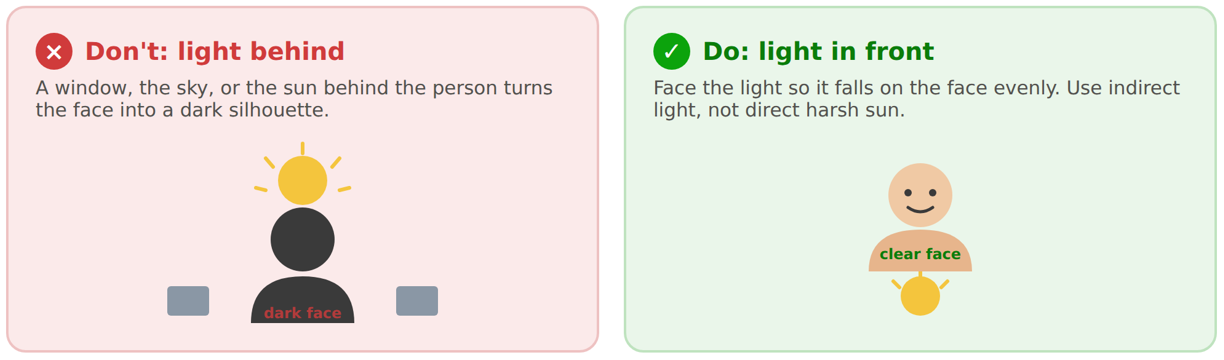
Face the light. Keep windows, open sky, and direct sun in front of the person, not behind them. Backlighting turns the face into a dark silhouette and is the most common cause of failure.
Avoid direct, harsh sun. Move to even, indirect light so glare and deep shadows do not wash out the face.
Use enough light. Very dim or nighttime conditions leave too little detail to match.
Framing and focus
Fill the frame with the whole face, reasonably close. Hold the device steady and let the camera focus so the image is sharp. Center the face and look straight at the camera.

Face visibility
Remove sunglasses and hats; clear glasses are fine. Keep a natural, neutral expression. Clear hair, masks, hands, or collars away from the face.

Quick checklist
✅Light in front of the face, not behind it.
✅Out of direct sun. Sunglasses and hat off.
✅Whole face filling the frame and in focus.
✅Looking straight ahead with a neutral expression.